
 Android app · Free · On your device
Sketch your soul with emotions.
Some feelings need a page. Others just need a name. SoulSketch makes emotional check-ins feel lighter. Pick a familiar feeling, name your own, or choose Mixed and build your own blend.
- No account
- No ads or analytics
- Check-ins stay on this device
Free on Google Play for Android. Orgwyse does not run a SoulSketch backend.
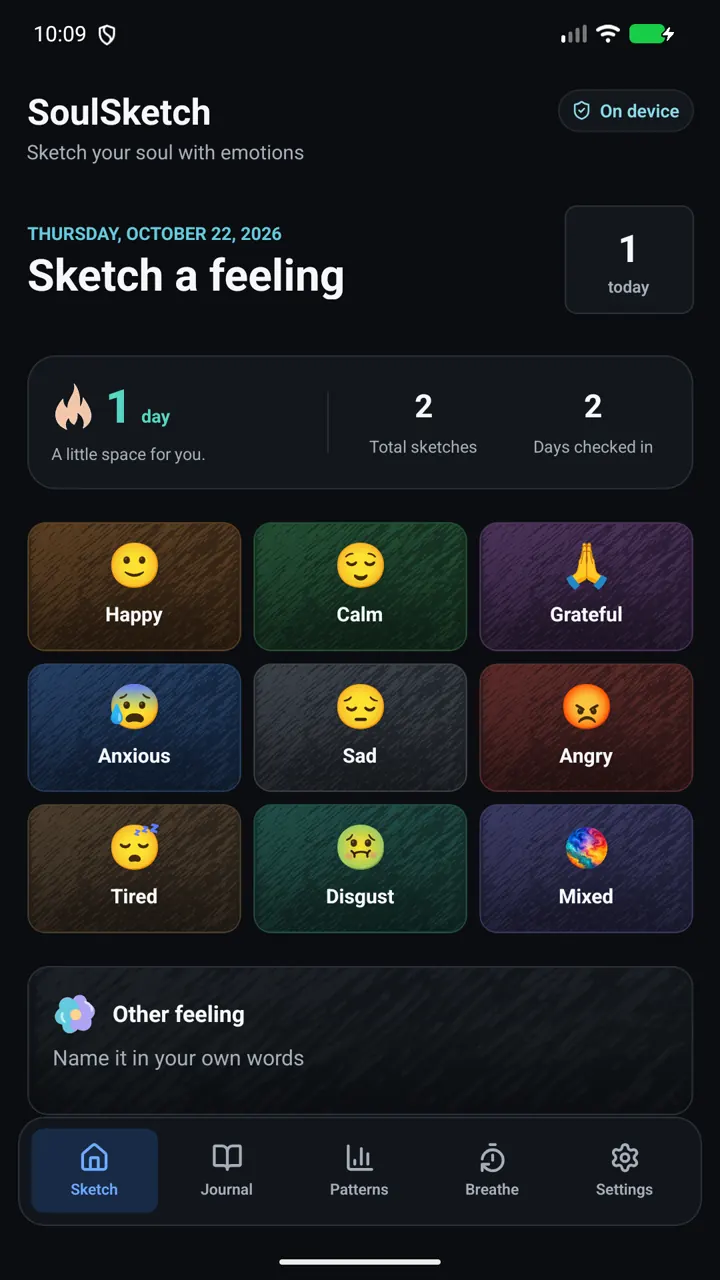
Screenshot of the current Android app. Check-ins stay on the phone.
Features
Come as you are. Notice gentle patterns.
Record a feeling in seconds, write when you want to, and look back at the moments you recorded. SoulSketch is a personal reflection tool, not a diagnosis.
Check in
Name what you feel in seconds.
Pick a familiar feeling, name your own, or choose Mixed and build your own blend. Add an influence or note only when it helps.
- Make more than one sketch in a day
- Correct a saved sketch within five minutes of its original save
- The Sketch page stays available even when history lock is on
Write
Saved words, with every version kept.
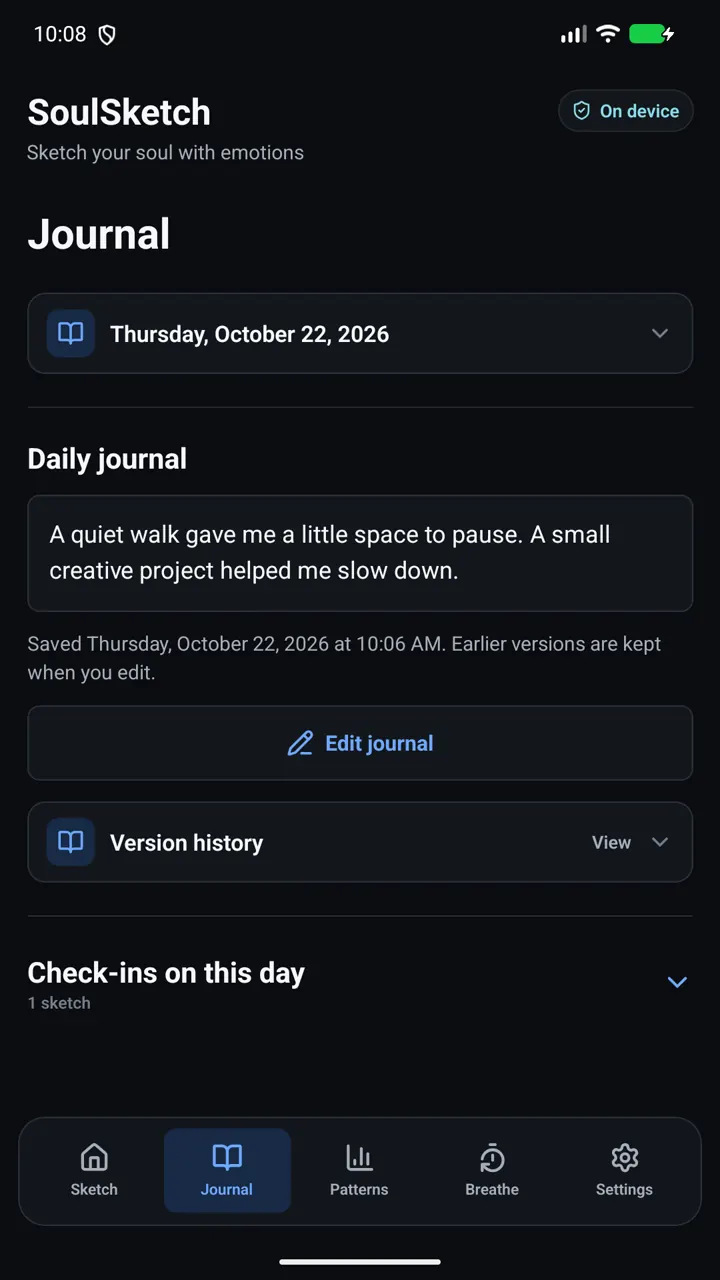
Revisit days in a collapsible Journal calendar. Choose Edit journal to save a new version; earlier saved text and times remain in version history.
- Daily journals are optional
- Every saved journal version is preserved locally
- Read the full notes and blends behind your check-ins
Notice
Patterns of what you recorded, not a diagnosis.
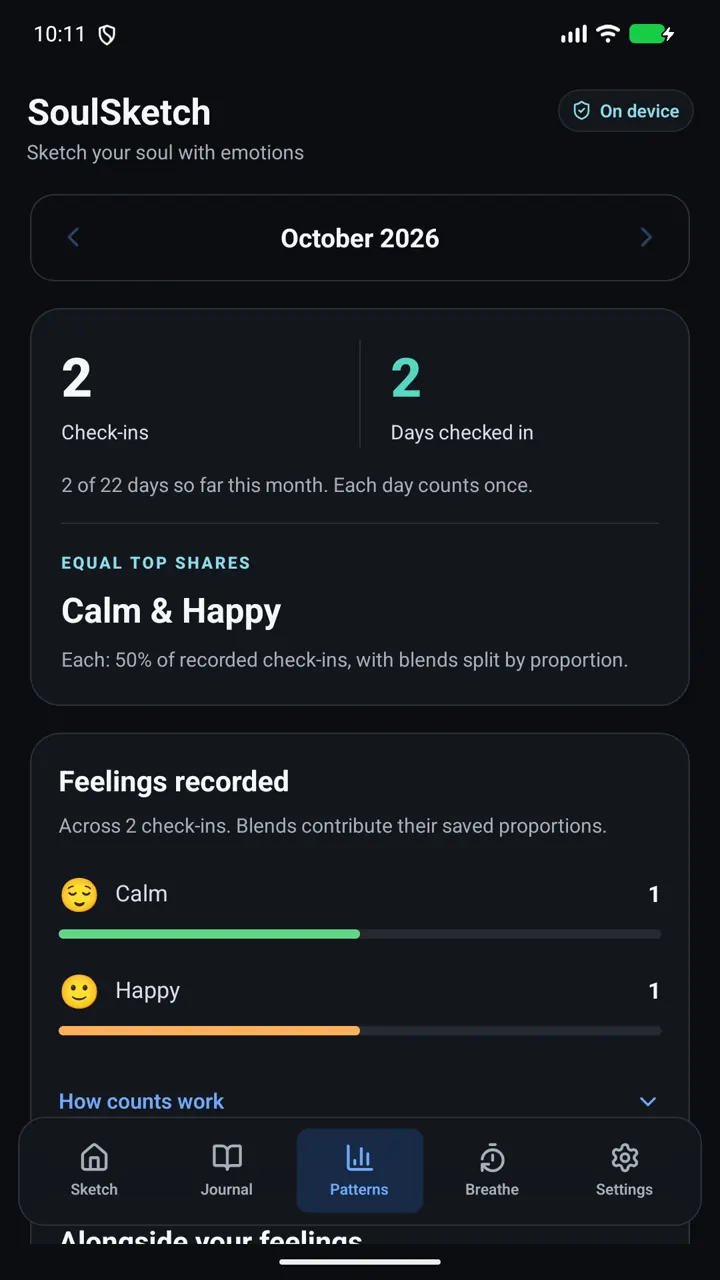
Explore mood and influence patterns month by month. Custom feelings count without assigning them an emotional score. Patterns do not measure time spent feeling an emotion.
- Month-by-month summaries of recorded feelings and blend proportions
- Non-diagnostic reflection prompts, if you want a starting point
- A timed breathing reset when you need a pause
Everything in this release
Check in in seconds
Pick a familiar feeling, name your own, or choose Mixed and build your own blend.
Mixed-emotions orb
Use the mixed-emotions orb when one label is not enough. Custom names work inside a mixed-emotion blend too.
Context, only if it helps
Add an influence or note only when it helps. Make more than one sketch in a day.
Five-minute correction
Correct a saved sketch within five minutes of its original save. A correction updates that record.
Journal calendar
Revisit days in a collapsible Journal calendar. Read the full notes and blends behind your check-ins.
Versioned daily journals
Edit a daily journal deliberately. Every saved version stays in local history.
Gentle patterns
Explore mood and influence patterns month by month. Patterns describe recorded check-ins and blend proportions, not time spent in an emotion or a diagnosis.
Reflection prompts
Use non-diagnostic reflection prompts to start a conversation with yourself or a professional.
Breathe
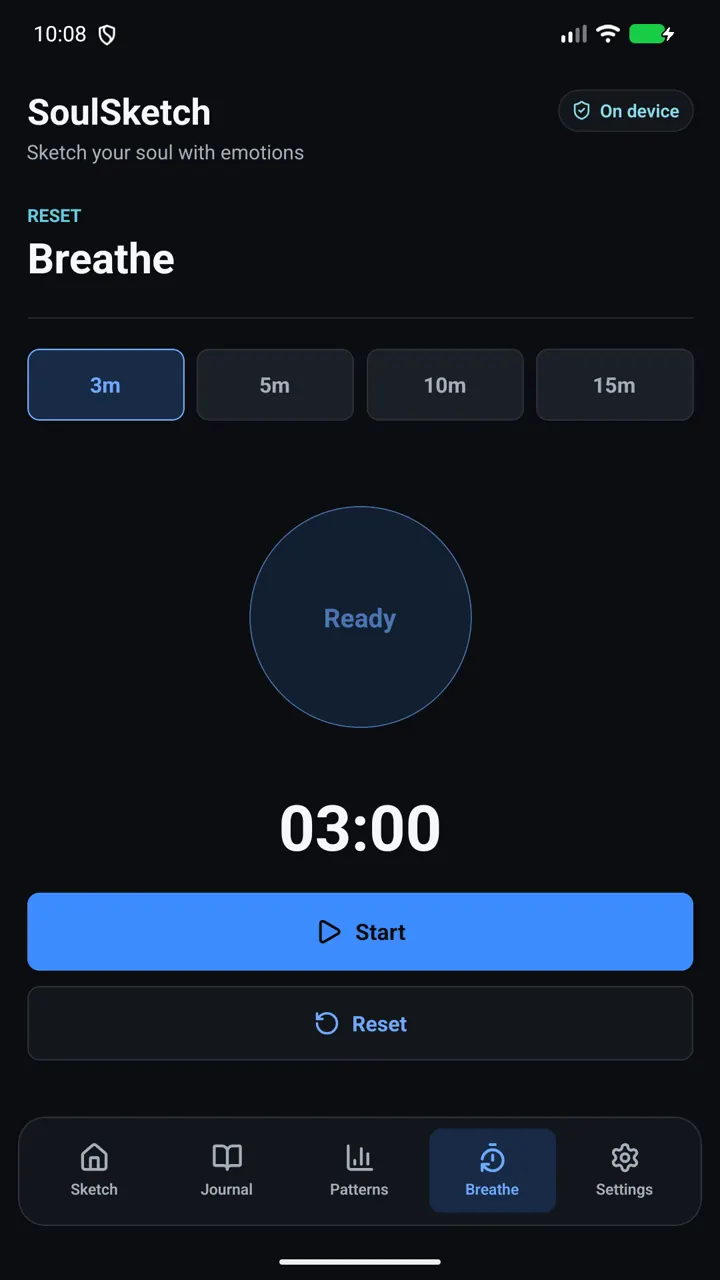
Take a timed breathing reset when you need a pause. An optional completion alarm can notify you when the timer ends.
Reminders you choose
Reminders start off. Turn on one or several daily times, or switch them off while keeping your times. The text is generic and never includes your feelings or journal writing.
Optional history lock
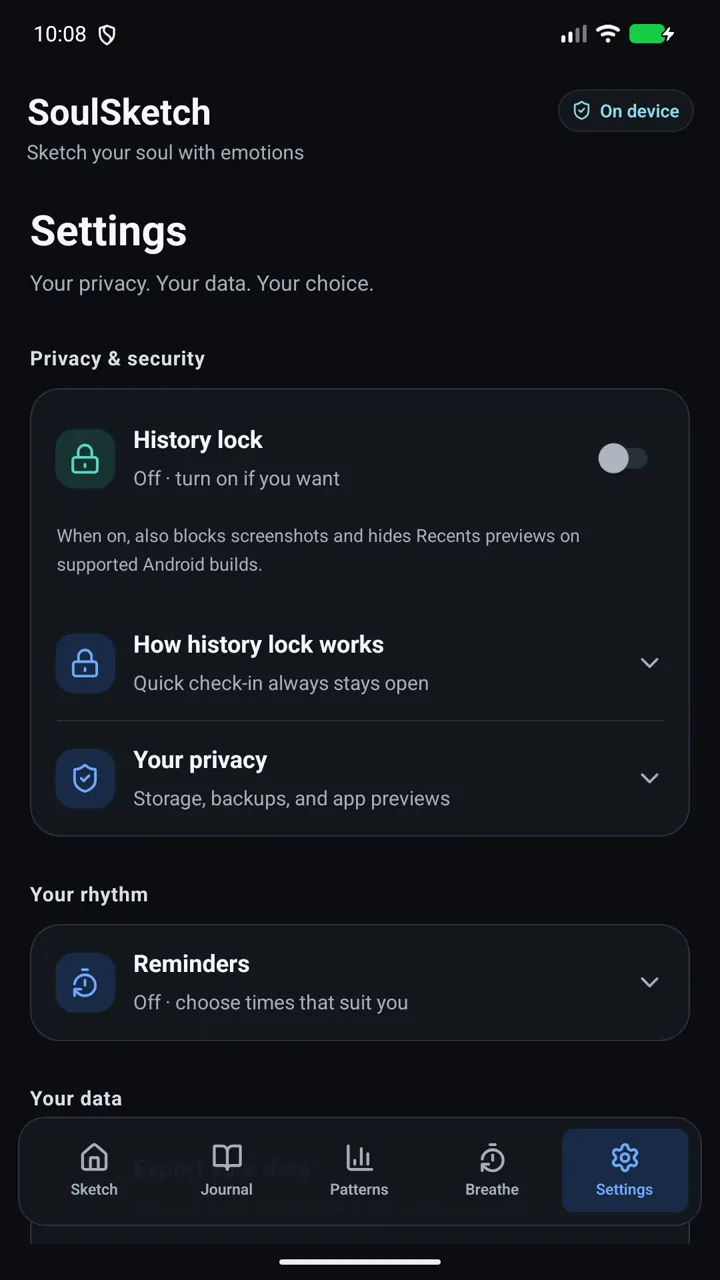
Off by default. It protects Journal, Patterns, Settings, and exports with your phone’s fingerprint, face unlock, or PIN. The Sketch page stays open for a new check-in.
Share the vibe
Preview a card for one saved check-in or a selected day’s records. Notes, influences, and journal writing stay off the card.
JSON and CSV export
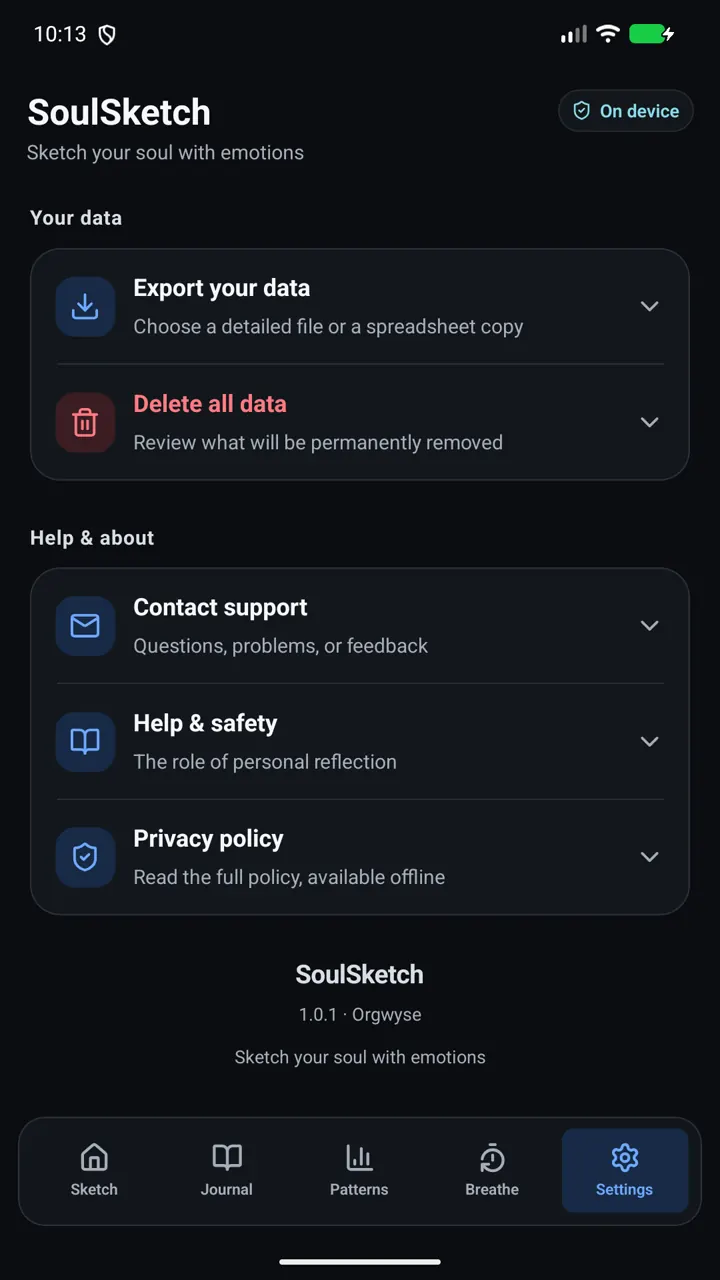
Keep a structured copy or a spreadsheet-friendly copy. Neither format can currently be imported back into SoulSketch.
Delete controls
Delete all data in Settings asks for confirmation, then removes local check-ins, notes, journals, version history, and preferences.
Breathe and reminders
A pause, on your clock.
Take a timed breathing reset when you need a pause. Breathe has a separate completion alarm that schedules one local notification when you start a timer with the alarm on. Pause, Reset, a duration change, or switching the alarm off cancels it.
- Optional check-in reminders at one or several daily times you choose
- Reminders start off and are scheduled locally
- Notification text is generic and never includes feelings or journal writing
Privacy
Private by design.
No account. No ads. No analytics SDK. No SoulSketch cloud server. Local journal storage, with JSON and CSV export and delete controls that stay in your hands.
Read the privacy policyStored on your device
Check-ins, custom labels, notes, and journals live in SoulSketch’s local app storage. There is no SoulSketch cloud and no in-app restore.
Nothing is collected
No account, no ads, no analytics SDK, and no SoulSketch backend. Journal content is not transmitted to Orgwyse or to third-party partners.
History lock is optional
It stays off until you turn it on. Quick check-ins remain available. SoulSketch does not encrypt its database separately.
Copies you choose
Share the vibe and export only run after you ask. Exported files are readable copies and are not encrypted by SoulSketch. Save them somewhere you trust.
Your data
Keep a copy, or erase it.
Export your data in Settings offers JSON and CSV. Delete all data requires confirmation. Copies you previously exported or shared remain outside SoulSketch’s control.
- History lock, reminders, export, and delete live in Settings
- On supported Android builds, history lock also blocks screenshots and hides recent-app previews
- The full policy is also available offline in Settings
FAQ
Questions, answered plainly.
Is SoulSketch a medical app?
No. SoulSketch supports personal reflection. It is not a medical device, diagnostic service, crisis service, or substitute for professional care. It does not diagnose, treat, cure, or prevent any medical condition, and it does not provide medical advice.
Do I need an account?
No. There is no sign-up, and there is no SoulSketch cloud server. Check-ins and journals stay in the app’s local storage on your phone.
Do you show ads or collect analytics?
No. SoulSketch does not include advertising, an analytics SDK, or a developer backend. Apple, Google, or your device maker may still process store or diagnostic information under their own policies.
Can I export my data?
Yes. Settings offers JSON, a structured copy, and CSV, a spreadsheet-friendly copy. Both include check-ins, custom labels, blends, influences, notes, daily journals, and every saved journal version. Preferences are excluded. Neither format can currently be imported back into SoulSketch, and the app has no cloud sync or in-app recovery.
What does history lock do?
It is off until you enable it in Settings with your phone’s supported fingerprint, face unlock, or device PIN. When it is on, Journal, Patterns, Settings, and exports need that authentication after you leave the app. The Sketch page stays available for a new check-in and shows aggregate counts. SoulSketch does not encrypt its database separately.
Do reminders include what I wrote?
No. Reminder text is generic and never includes your feelings, counts, notes, or journal writing. Reminders are scheduled locally. A separate Breathe completion alarm can fire when a timer ends; pause, reset, a duration change, or switching the alarm off cancels it.
Is SoulSketch on iPhone?
Not yet. SoulSketch is on Google Play for Android. There is no App Store listing at the moment.
How do I keep records if I change phones?
Export a JSON or CSV copy first. Update through Google Play without uninstalling or clearing app storage to keep existing local records. Android cloud backup and device transfer are disabled by the app. Do not rely on reinstalling to recover records.
Not a medical device
SoulSketch is a personal reflection and wellness tool. It is not a medical device and does not diagnose, treat, cure, or prevent any medical condition. It does not provide medical advice or replace professional care. If you may be in immediate danger, contact local emergency services or a qualified crisis resource in your region.
A quiet place for a feeling, on this phone.
Free on Android. No account, no ads, no SoulSketch cloud.